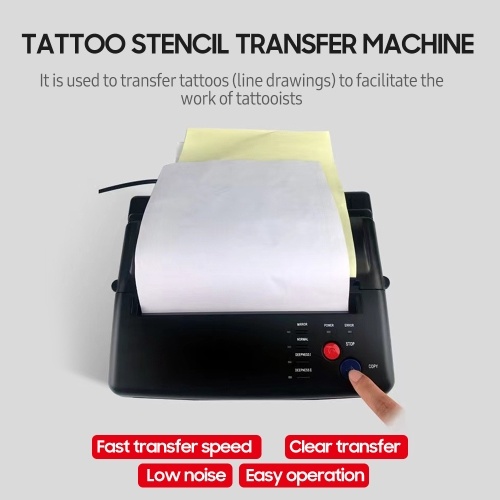
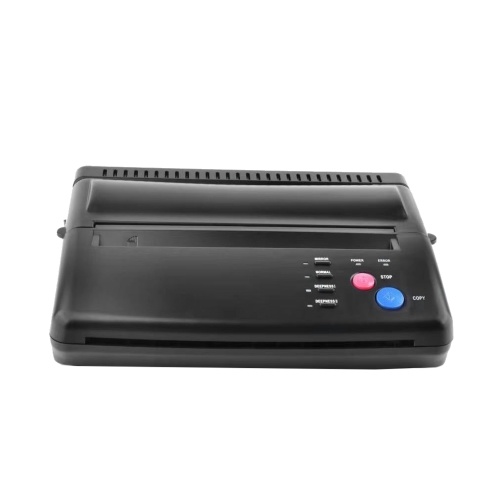
Tattoo Stencil Transfer Machine Printer Drawing Thermal Stencil Maker Copier Line Drawing Printing Copier for Tattoo Transfer Paper Supply




sku: E20787US
ACCORDING TO OUR RECORDS THIS PRODUCT IS NOT AVAILABLE NOW
$118.99
Shipping from: China
Description
Features:
Professional Tattoo Copier --- Allow you copy the designs onto stencil paper quickly and efficiently just in a few easy steps. Copy your design to skin perfectly without error. Great tattooing copier, work for the regular paper design.
Easy and Fast Transfer --- Just 1 minutes can provide your nice icon and pic, be quickly give you professional and vivid tattoo that you want. This machine will give you more fast and save way for nice tattoo.
More Affordable --- No replacement parts and No ink needed, life basis tattoo stencil copier has no bulbs, cylinders, or heating elements, more economical than other traditional tattoo machines.
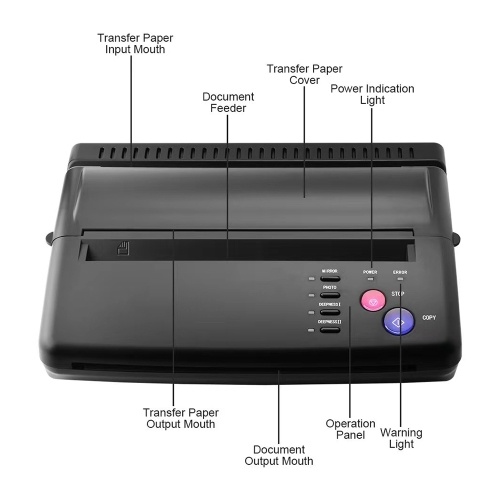
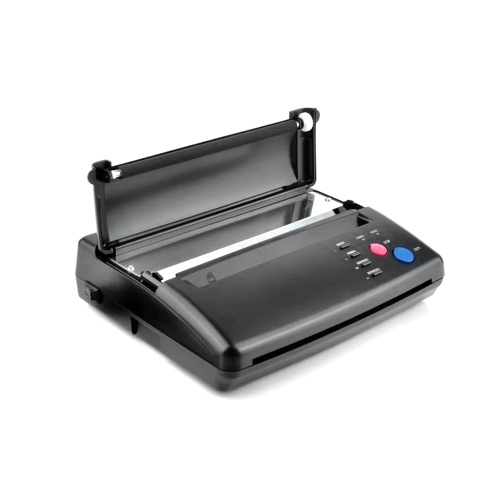
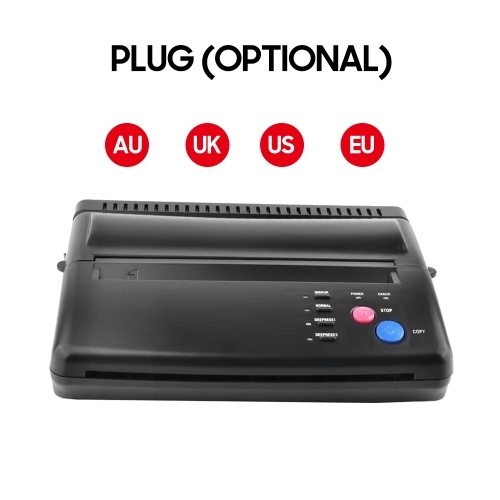
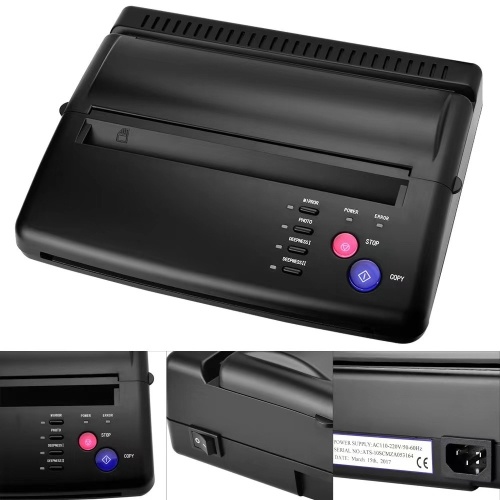
Multiple Settings --- There are several buttons/ keys for different functions, you can choose the copy methods, deepness etc, which is very convenient and functional. Two light indicators, power light shows when the machine starts working, error light shows something wrong on the machine, such as the TPH is overheating.
Nice for Tattoo Artists --- This copier is created specifically for the tattoo artist. Lightweight, simple, reliable copier that will make your life easier.
How to use the tattoo transfer machine?
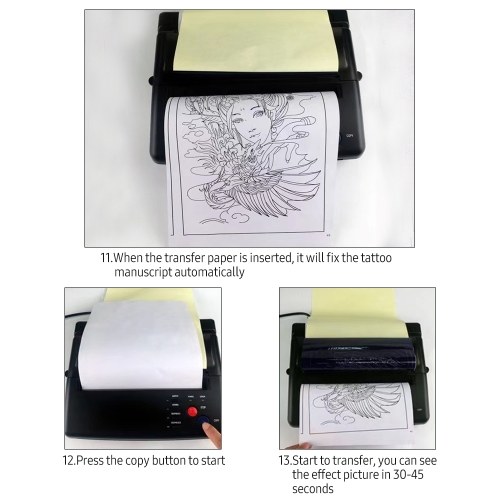
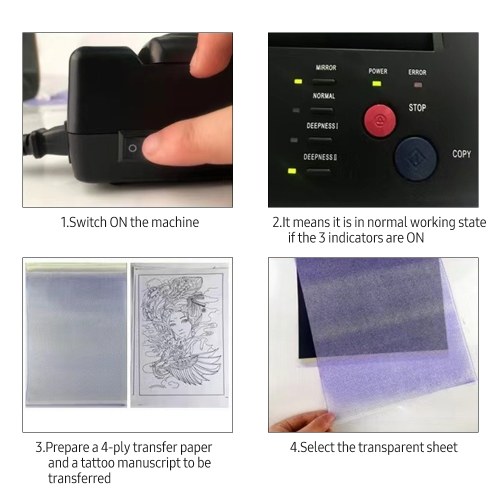
1. Select your favorite pattern and type it on a blank paper (A4 paper size).
2. Turn the machine on.
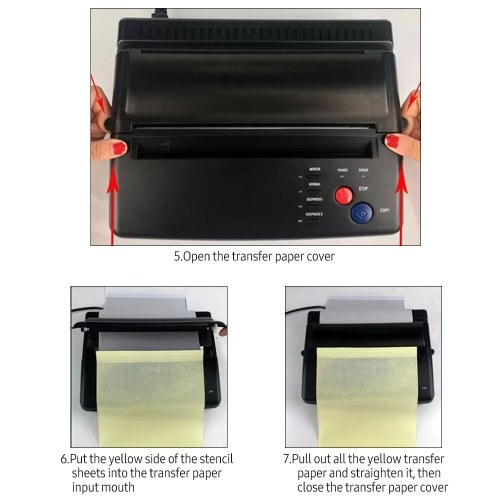
3. Open the transfer paper cover.
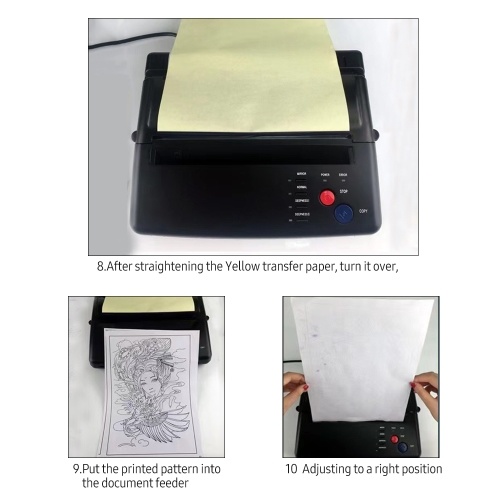
4. Put the yellow side of the stencil sheets into the transfer paper input mouth.
5. Put the printed pattern into the document feeder.
6. Set up the copy mode.
7. Press the copy button.
Frequently Question Answers:
Q1: How to solve machine prints random line or black lines problem?
A: Please Restore Default Setting Clean Roller Regularly.
Steps to Restore Default Setting:
1. press the stop button for 3 seconds, then you will hear a beep
2. press the mirror button
3. press the copy button
Wipe out the inks on the roller regularly to avoid printing black line.
Q2: How to solve paper jam up problem?
A: If the machine is overheating, the paper will jam up, please wait for the machine to cool down, and then you can use it again.
Professional Tattoo Copier --- Allow you copy the designs onto stencil paper quickly and efficiently just in a few easy steps. Copy your design to skin perfectly without error. Great tattooing copier, work for the regular paper design.
Easy and Fast Transfer --- Just 1 minutes can provide your nice icon and pic, be quickly give you professional and vivid tattoo that you want. This machine will give you more fast and save way for nice tattoo.
More Affordable --- No replacement parts and No ink needed, life basis tattoo stencil copier has no bulbs, cylinders, or heating elements, more economical than other traditional tattoo machines.
Multiple Settings --- There are several buttons/ keys for different functions, you can choose the copy methods, deepness etc, which is very convenient and functional. Two light indicators, power light shows when the machine starts working, error light shows something wrong on the machine, such as the TPH is overheating.
Nice for Tattoo Artists --- This copier is created specifically for the tattoo artist. Lightweight, simple, reliable copier that will make your life easier.
How to use the tattoo transfer machine?
1. Select your favorite pattern and type it on a blank paper (A4 paper size).
2. Turn the machine on.
3. Open the transfer paper cover.
4. Put the yellow side of the stencil sheets into the transfer paper input mouth.
5. Put the printed pattern into the document feeder.
6. Set up the copy mode.
7. Press the copy button.
Frequently Question Answers:
Q1: How to solve machine prints random line or black lines problem?
A: Please Restore Default Setting Clean Roller Regularly.
Steps to Restore Default Setting:
1. press the stop button for 3 seconds, then you will hear a beep
2. press the mirror button
3. press the copy button
Wipe out the inks on the roller regularly to avoid printing black line.
Q2: How to solve paper jam up problem?
A: If the machine is overheating, the paper will jam up, please wait for the machine to cool down, and then you can use it again.
Technical Details
| activityPrice: | 118.99 |
| activityTimeEnd: | 2022-11-03 11:19:18 |
| activityTimeStart: | 2022-09-21 11:19:17 |
| OriginalPrice: | 279.76 |
| Warehouse: | CN |
Price history chart & currency exchange rate
Customers also viewed

$5.00
Чехол Awog на Xiaomi Redmi Note 11 Pro/11 Pro 5G/11E Pro "Весенний букет", Красный;розовый;зеленый, 314852-1
goods.ru


$68.26
Африканский гипюр, кружевная ткань с камнями, нигерийский гипюр, шнур, кружевная ткань 2024, высокое качество, французское кружево для свадебной вечеринки
aliexpress.ru
$22.79
Кепки для мужчин в малайзийском стиле, мусульманская шляпа с эксклюзивной сеткой для молитв в стиле Саудовской Аравии, Kipa Kufi, летняя коллекция 03334
aliexpress.ru
$234.16
CX Computer Version Vacuum Bloating Machine Vacuum Commercial Two-Way Pickles Machine
aliexpress.ru
$2.61
100/садовые прививочные зажимы, пластиковые зажимы для зеленых растений в комплекте, многоразовые прививочные инструменты для защиты растений и винограда
aliexpress.ru
$82.51
fashion alloy oval frame sunglasses 2022 women luxury brand eyewear designer pilot glasses for summer, White;black
dhgate.com
$204.16
bags crossbody designer handbags ke11yss generation mini women second women's 2022 advanced sense net red fashion one shoulder messenge
dhgate.com
$23.52
selling new mens womens snake black belt genuine leather business belts pure color belt snake pattern buckle belt for gift 6z8289t, Black;brown
dhgate.com